Home | Splash Networks Blog
People are often wary of using public Wi‑Fi because it lacks security. Captive portals, open authentication, and shared passwords make public networks vulnerable and inconvenient.
Passpoint (Hotspot 2.0) solves this problem by enabling enterprise‑grade Wi‑Fi security while allowing users to connect automatically, without landing pages or manual login prompts.
In this guide, we configure Passpoint using MikroTik and FreeRADIUS, and then generate Passpoint profiles for Android and iOS.
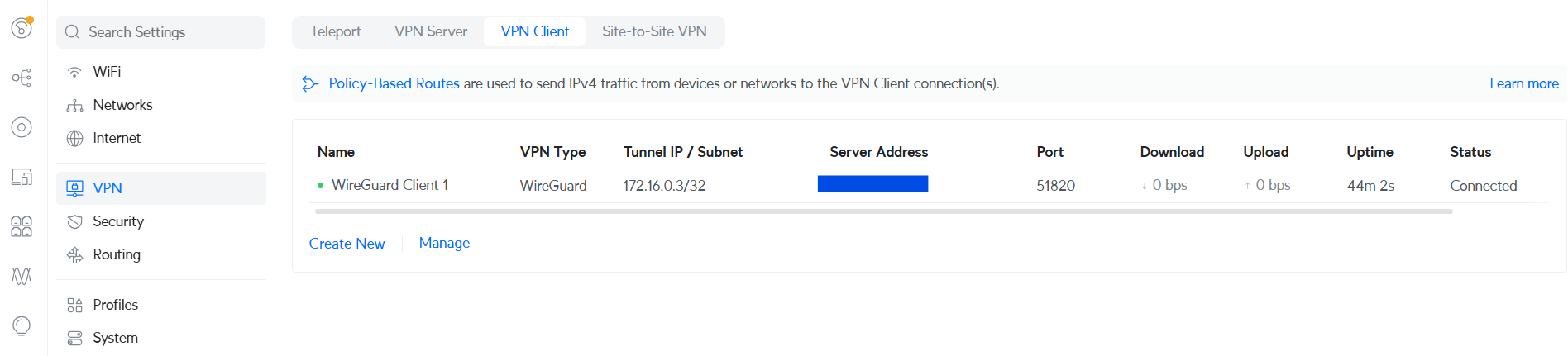
As a captive portal provider we often face the situation where a customer has a UniFi network which is behind a dynamic IP and NAT. An external captive portal needs to communicate with the UniFi controller via API in order to authorize guests. This requires a static public IP on the UniFi gateway device, which is often not available. To get around this situation, it’s possible to set up a WireGuard client on the UniFi gateway device (such as UniFi Dream Machine, UniFi Express, UniFi Cloud Gateway etc.). This is a simpler solution compared to others such as Dynamic DNS (often a paid service) and port forwarding (might not be possible in all scenarios, such as CGNAT).
In this post we’ll see how we can set up a WireGuard server on an Ubuntu machine and configure a UniFi gateway device as a WireGuard client.
RFC 8910 specifies the use of DHCP Option 114 for captive portal identification. Using this DHCP option, endpoints can learn the address of the captive portal API server and contact it to find out the URL of the captive portal server.
To implement DHCP Option 114 on MikroTik it needs to have a TLS certificate and a DNS hostname. We can get a TLS certificate for free using Let’s Encrypt. To set it up refer to this guide.
After importing your certificate successfully you will need to enter a DNS name for your router (the corresponding DNS record should also exist and point to any of the interface IPs on MikroTik). HTTPS should be selected in the Login By section. Additionally, in SSL certificate you will need to select your added certificate.
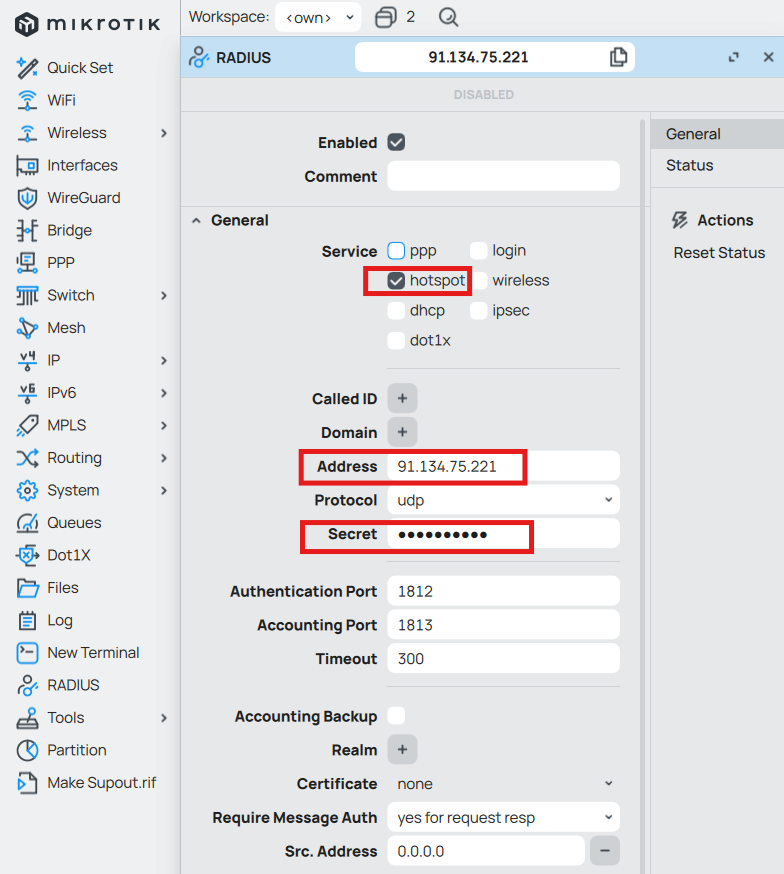
To trigger Change of Authorization (CoA) from FreeRADIUS to a MikroTik router to update the session parameters of a hotspot user you can follow these steps:
Access the MikroTik router via WinBox. Go to RADIUS to add a RADIUS server like this:

You can use the following steps for integrating Google Workspace login into your web application.

In this post we’ll be looking at using FreeRADIUS integrated with Google Workspace Secure LDAP to perform VLAN assignment for WPA enterprise users. This setup has been tested with Ubiquiti UniFi and Cisco Meraki successfully. FreeRADIUS setup and Google Workspace integration has been covered in a previous post so please check it out to understand the prerequisites of this setup.

Aruba’s Instant On product line consists of plug and play access points and switches that are managed from the cloud. The cloud management portal – located at https://portal.arubainstanton.com – is free and does not require purchasing any license.

This post is about implementing web filtering as a service using a cloud hosted pfSense appliance. Using the setup documented below it is possible to offer web and URL filtering as a service for a safe web experience for schools, businesses and homes. It will also allow visibility into users’ traffic for compliance and logging purposes. This setup was tested on a pfSense appliance v2.4.5-RELEASE-p1 that was installed on an AWS EC2 instance (that setup is outside the scope of this post).

This post documents the process of integrating FreeRADIUS with Google G Suite (now Workspace) using Secure LDAP. FreeRADIUS will be used to authenticate Ubiquiti UniFi WPA2 Enterprise Wi-Fi users. The configurations presented here are taken from this wonderful repository. While the repo uses Docker, we will be implementing these settings in FreeRADIUS directly. These settings were tested on Debian 10.
A convenient way to remotely access and manage a MikroTik router that is behind NAT is to set it up as an OpenVPN client. It will then be accessible from the VPN server or by other VPN clients. In this guide we’ll document a procedure for setting up an OpenVPN server in Docker and configure it to work with MikroTik.
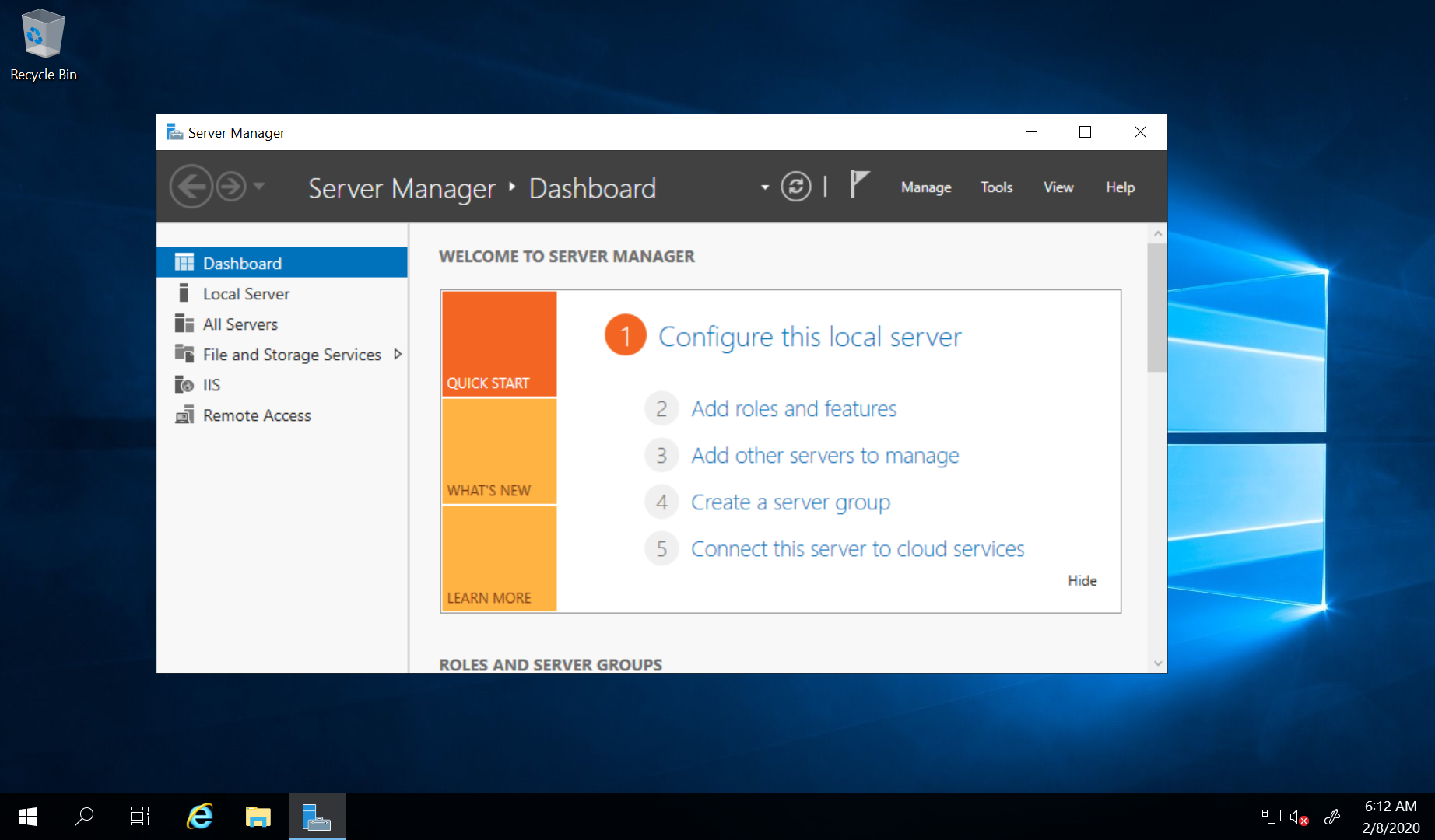
If you want to setup VPN on a remote Windows server mainly to change your IP address and security is not the main concern then PPTP VPN is probably the simplest option. In this guide we’ll see how to setup PPTP VPN with NAT on Windows Server 2019 with only a single network interface (as is the case with most VPS deployments).